
Workflow
The FL Studio-style workflow on an Android tablet
Millions of producers learned on FL Studio's way of working: a channel rack, patterns, a piano roll and a playlist. SynthB is built around that same workflow, redesigned for a touchscreen. If you know it on a desktop, you already know your way around SynthB.
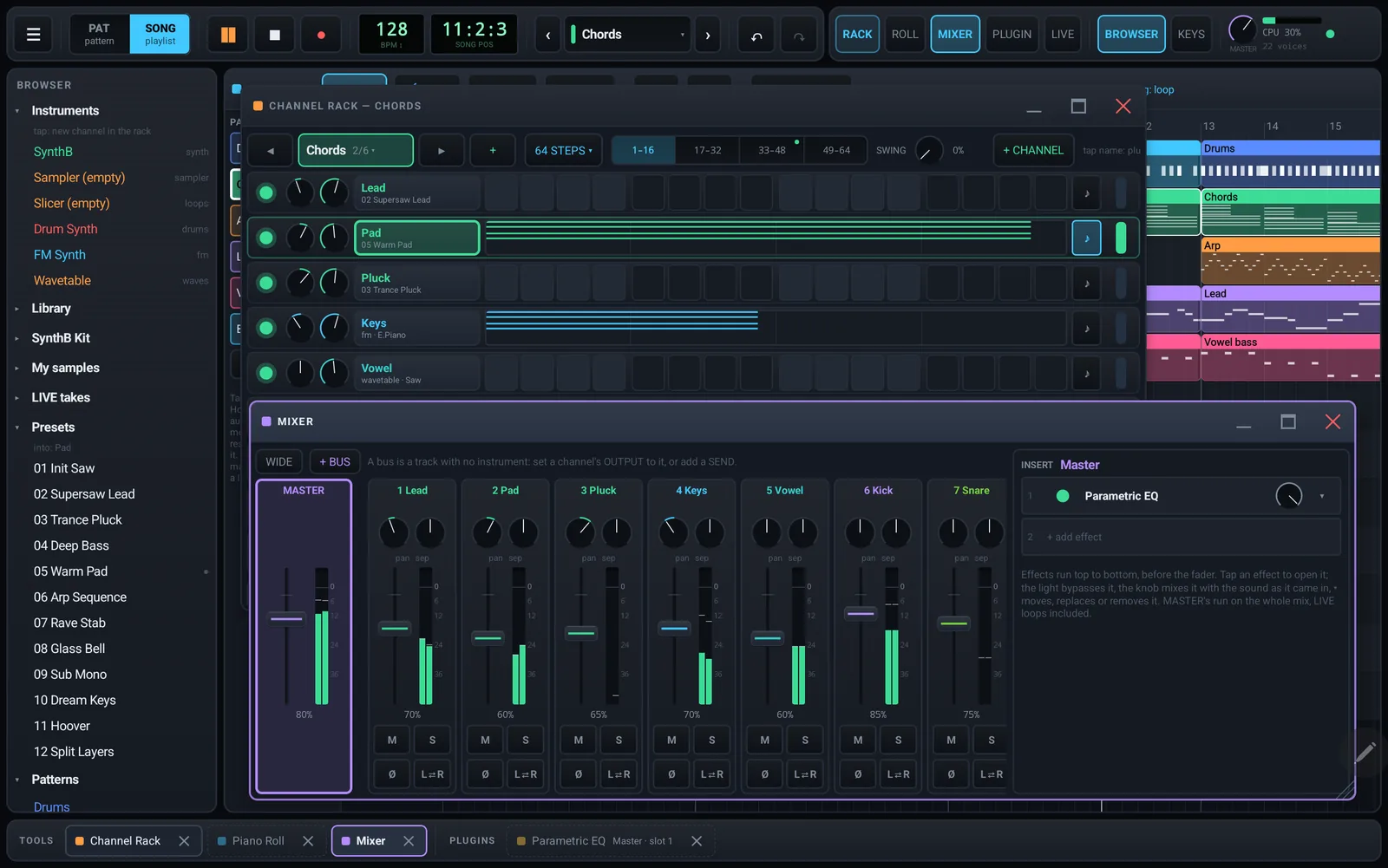
To be clear: SynthB is its own app, not FL Studio and not affiliated with Image-Line. It does not open .flp projects or run FL plugins. What it shares is the way of working, and the look is its own.
How the pieces map
| If you know | In SynthB | Notes |
|---|---|---|
| Channel Rack | Channel Rack | Up to 32 channels. Mute, pan, volume, steps. Tap the name to open the instrument. |
| Piano Roll | Piano Roll | Draw, stretch, velocity, pinch zoom, S Pen hover. 960 PPQ. |
| Patterns | Patterns | Pick one in the toolbar. PAT mode loops the current pattern. |
| Playlist | Playlist | Always in the background. Pattern, audio and automation clips on 12 tracks. SONG mode plays it. |
| Mixer | Mixer | A strip per channel, bus tracks, 4 sends, 8 inserts, side chain. |
| Automation clips | Automation clips | Fader, pan, sends, width, slot mix, any instrument or effect parameter, with curves. |
| Audio clips | Audio clips | A sampler channel plus one song note per clip, and you can start playback in the middle of a clip. |
| Slicer plugins | Slicer | The sampler with slices on: equal parts, by hits, or cuts by hand. One slice per key from C4 (C5 in FL's naming). |
| Floating windows | Floating windows | Drag by the title bar, bring to front, maximise, several open at once. |
| Browser | Browser | Instruments, presets, samples, patterns and projects. |
What is different on a tablet
- Touch first. Every control has a finger-sized hit area. Windows open with one tap and do not hide behind right-click menus.
- Pen and mouse are first-class too. S Pen hover previews notes in the roll. A mouse gets right-click, wheel and hover.
- Built-in instruments only. Android has no VST, so SynthB ships its own: a subtractive synth, FM, wavetable, drum synth, sampler and slicer.
- It is a sketch-to-finish tool. Export a WAV of the full mix and take it anywhere.
A typical session
- Build a drum pattern in the rack.
- Clone it and add bass and chords in the piano roll.
- Switch to SONG and paint the patterns onto the playlist.
- Draw a filter sweep as an automation clip into the build-up.
- Open the mixer, add a send reverb and side-chain the bass to the kick.
- Export to WAV.
The beat-making tutorial walks through this in detail.
Your workflow, on the couch
The pattern-based workflow you know, on the tablet you already own. €4.99, once.