
A drum machine with synthesised drums
Beats start with drums. SynthB gives you a step sequencer to program them, a drum synth that builds every hit from scratch, and a sample kit for when you want classic one-shots.
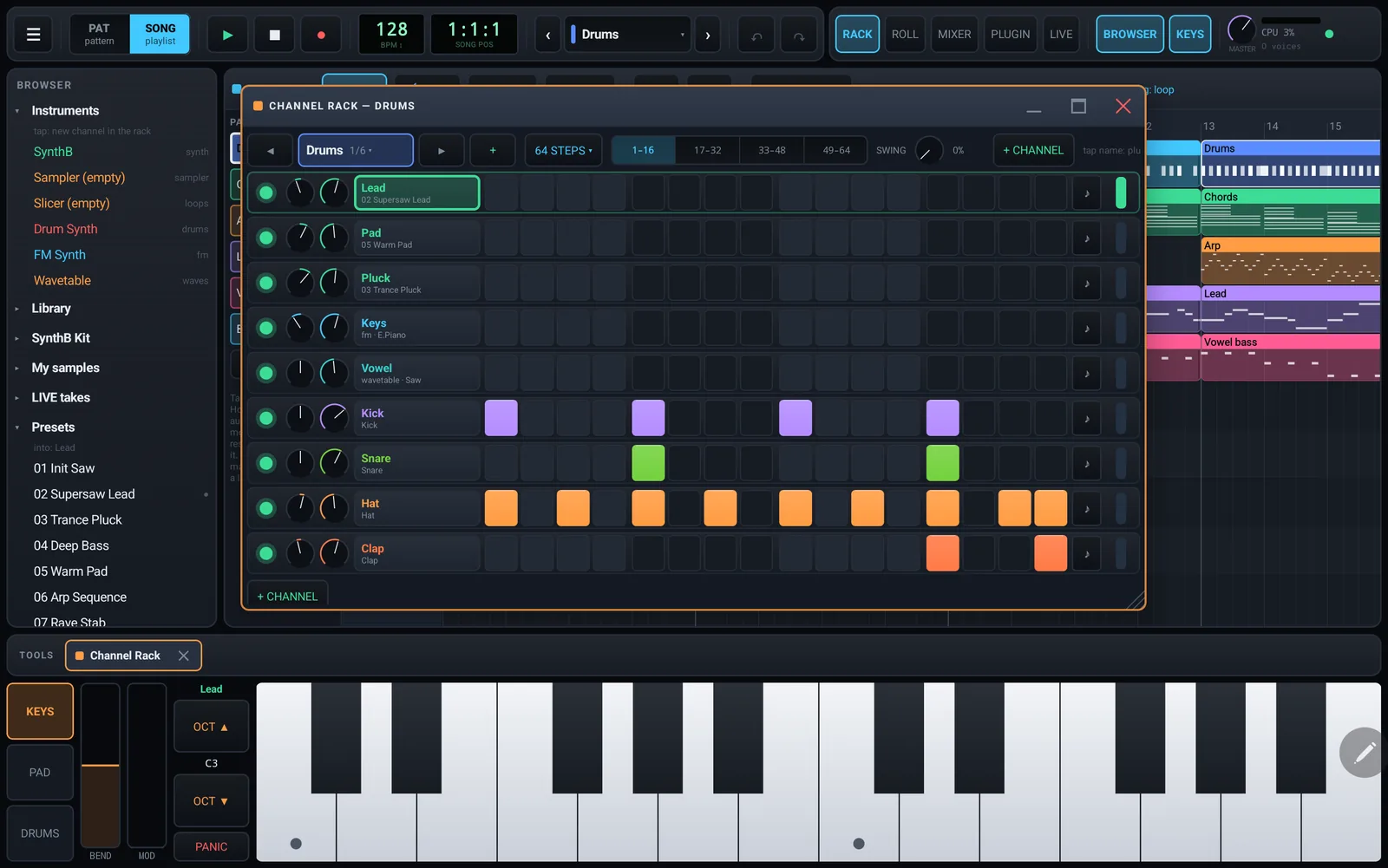
Step sequencing in the channel rack
Each drum is a row in the channel rack. Tap steps to place hits. Patterns can be 16 steps or many bars, and swing is one knob beside the pattern. For ghost notes, flams and rolls, open the drum in the piano roll and draw velocity per hit.
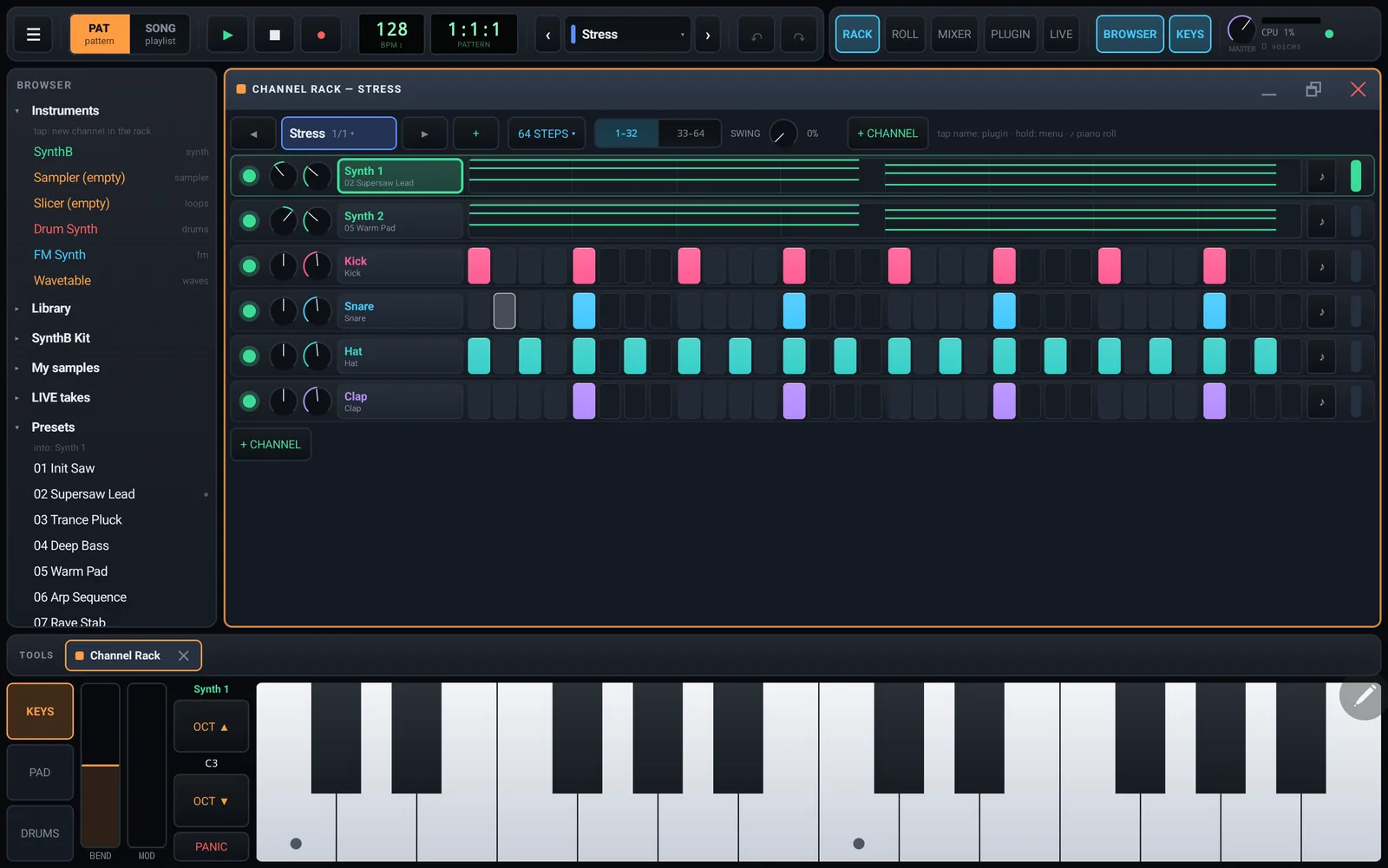
The drum synth
No samples: each hit is synthesised when you play it, so you can tune and shape it freely. Six models: kick, snare, hat, clap, tom and cowbell.
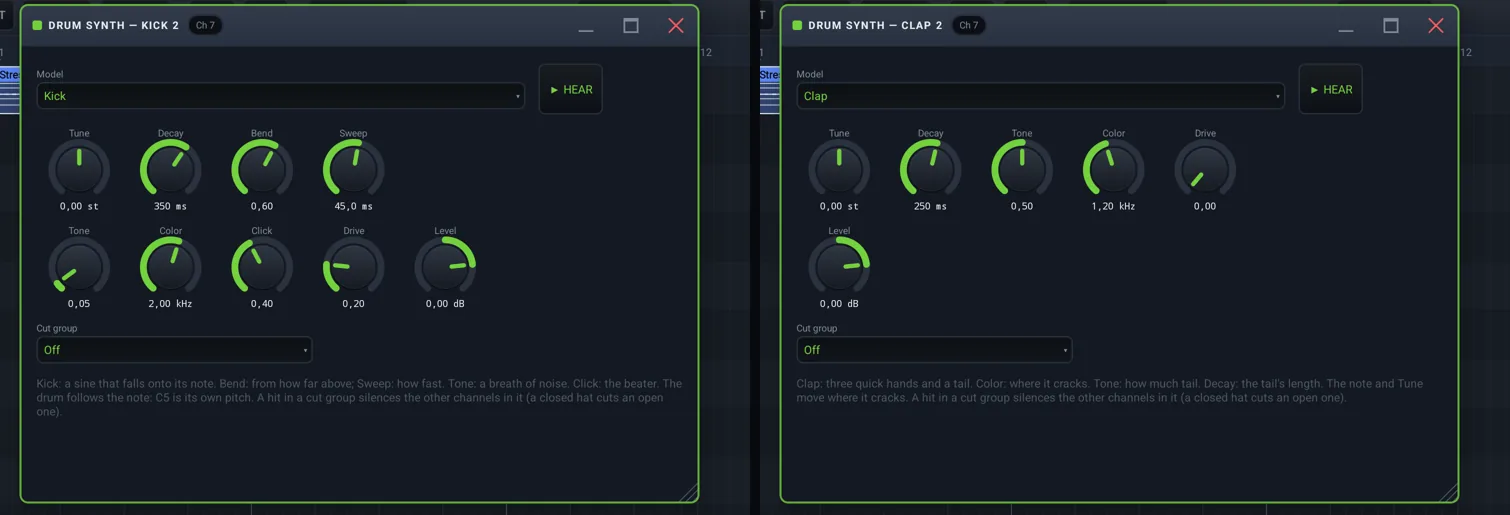
| Tune | ±24 semitones. Tune a long kick to the key of the song for an 808 bass. |
| Decay | 20 ms to 2 seconds, from a tight click to a booming tail. |
| Bend / Sweep | The pitch drop at the start of the hit, and how fast it falls. |
| Tone / Color | The balance of body and noise, and the brightness of the noise. |
| Click | The transient at the front, so a kick is still heard on small speakers. |
| Drive | Saturation for weight and grit. |
| Cut | Choke groups 1 to 4: an open hat stops when the closed hat plays. |
Samples, too
The SynthB Kit pack of drum sounds loads as sampler channels. Record your own one-shots with the microphone, or import WAV, MP3, M4A, FLAC or OGG. Chop a breakbeat in the slicer and play its hits from the piano roll.
Make the drums hit
- Send the drums to a bus and compress them together in the mixer.
- Use the kick as a side chain to duck the bass.
- Play the drums live from the pads in the keyboard drawer.
New to it? The beat-making guide starts with drums.